
How I Use Claude Code Day to Day
Here's how I currently use Claude Code. Much like my 2026 tech stack, I suspect this will change over time, probably at an even faster rate.
Worktrees
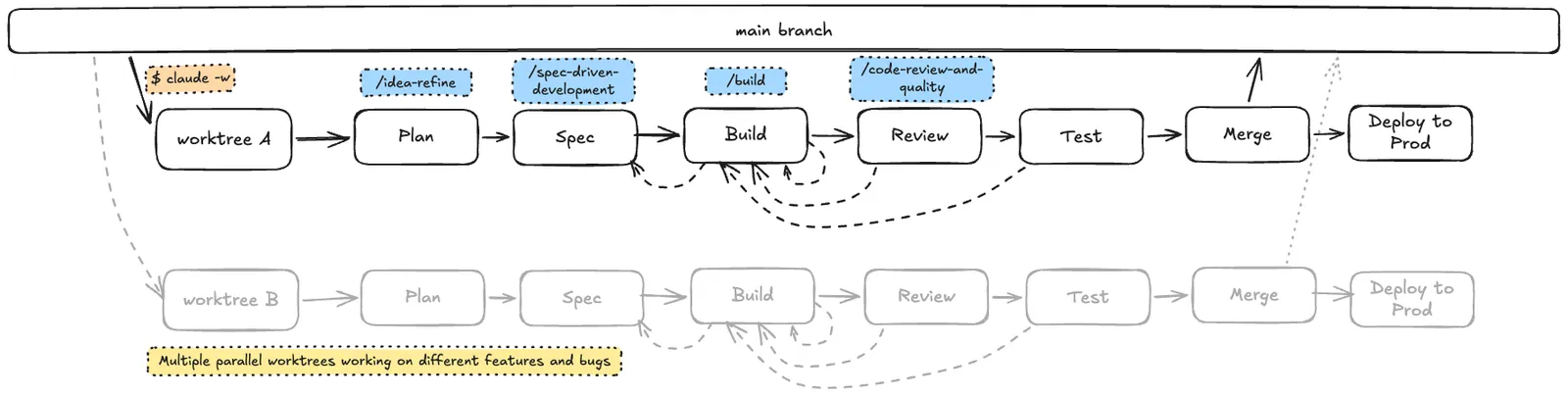
Almost every time I work with Claude Code, I start by creating a new worktree. This provides a nice encapsulated way of working on a particular change, for a particular repository, without having to stop whatever else I'm working on in that repository. It also allows me to work on multiple different tasks for the same repository in parallel.
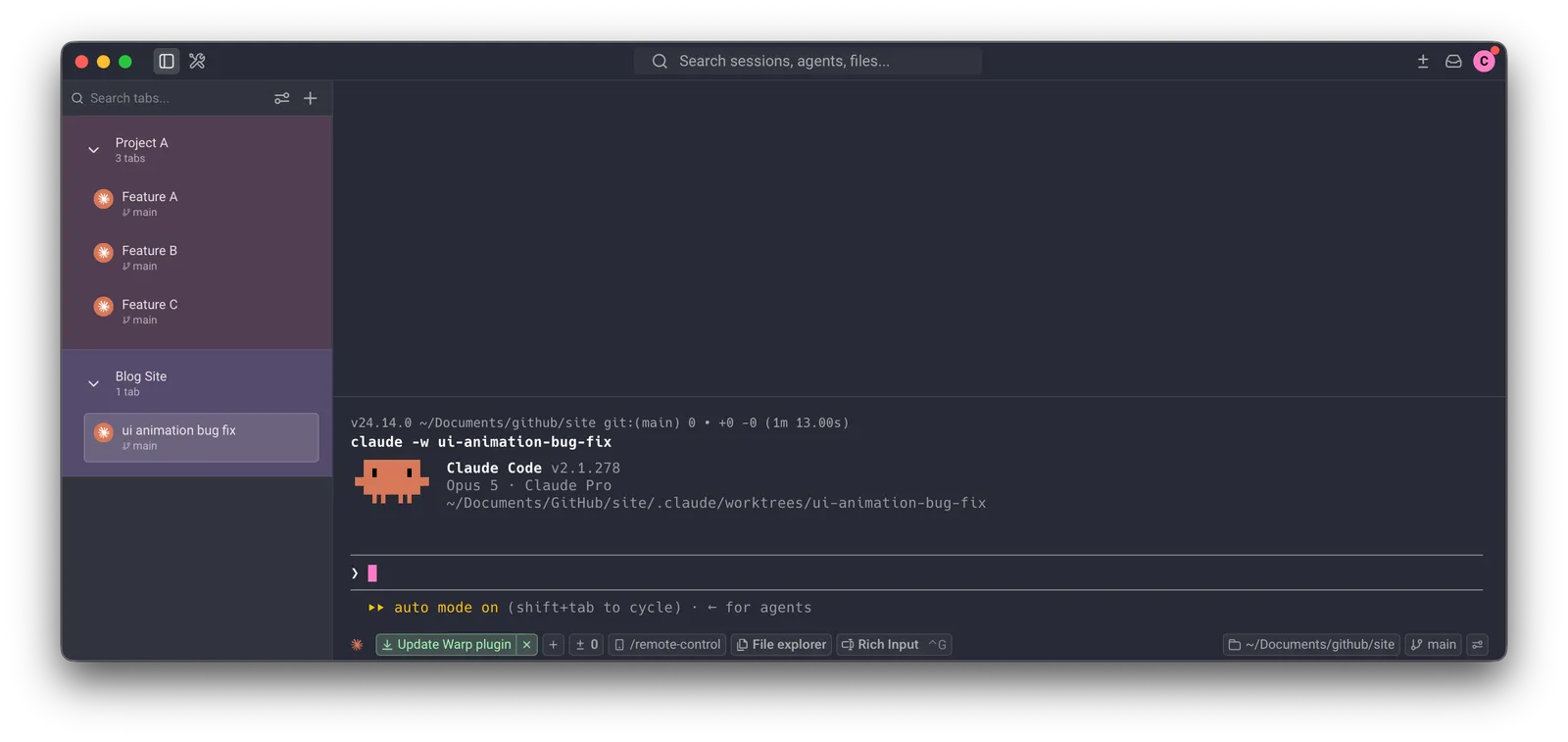
I'll create a new tab in Warp, and then create a new Claude session for a new worktree, with a relevant name. This tab will then remain only for this worktree. Once the task is complete, which could be days later, the tab is then closed.
claude -w new-feature-ideaAs this tab can get lost amongst others, I will often rename the tab to be more obvious to me later. If working across multiple repos, I'll also create groups to further help distinguish between them.
Worktrees live inside a hidden .claude/worktrees/ folder, which makes them a bit of a pain to open in my editor. So I made a small custom slash command, /vscode-worktree, which opens the current worktree in VS Code. I mostly use it when I'm ready to review the changes myself.
---
description: Open the current git worktree in VS Code
allowed-tools: Bash(code:*), Bash(git rev-parse:*)
---
Run `code "$(git rev-parse --show-toplevel)"` with the Bash tool. If that fails because this isn't a git repo, run `code .` instead. No other output.
Save it as ~/.claude/commands/vscode-worktree.md and it's available in every project.
Ideation, planning, and spec driven development
Once the worktree has been created, I'll then get started with the ideation/planning phase.
This phase will usually take the most time. It's important to ensure we are providing as much context as possible to the agent of what we want to build, but also to ensure we have checked exactly how this should be built (we want to avoid garbage-in, garbage-out).
Plan on the day shift, let agents work the night shift
I'm not a fan of having to constantly context switch between the agent tabs. I find this doesn't get the best quality input from me, as I'm noticing other agents waiting for my response too, so I'm hurrying my responses while I am "plate-spinning". Therefore, I prefer to really take the time to plan out the feature, so that I can be a lot more hands-off when it comes to the build stage, with the agent having as much as possible of what it needs from me to build what is expected.
On a recent podcast episode of The Pragmatic Engineer, Matt Pocock summed it up nicely:
Basically, the optimal way to work with agents is to plan during the day shift and then get the agents to work during the night shift
I really like that concept. Rather than a constant back and forth with the agent during the build stage, we can put in the upfront effort, and leave that plate spinning for much longer, while we deal with other tasks that require our undivided attention.
Here's a high-level view of some of the skills I call during this phase, split by feature development vs bug fixes:
Features
For the past six months, I've mainly used Addy Osmani's agent-skills. I'll always run one of these skills at the start of this phase:
/idea-refine- If I'm still not exactly sure of what I'd like to build/spec-driven-development- When I have a clearer idea of what I would like to build. I may run this after/idea-refine, or straight away. I'll keep going until I'm really happy with theSPEC.mdfile produced.
Bug fixes
When addressing a bug, it's important to provide as much context about the issue as possible. If it's UI based, I'll aim to provide as many screenshots and links as possible.
If it's a back-end issue, I'll try and provide as much trace data as possible. I use Sentry for a few of my projects, and they have a great way of being able to copy the error stack as markdown, which agents make great use of.

Keep changes small
Whatever I'm building, I try to keep each change to a size I can still review properly. A smaller change is easier to review, and it gives the agent less room to drift. If a feature starts to feel too big, I'll split it into several smaller pull requests.
Build
Once I'm happy with the spec, I run Addy's /build command, which builds the feature one small slice at a time.
The agent rarely builds exactly what I need on the first pass. Most builds involve some back and forth. I look at what it has produced, give it feedback, and it refines. If it has gone a long way off course, I go back to the spec phase. Good planning shortens this back and forth, and that's what lets me leave the plate spinning for longer.
Tracking Claude usage
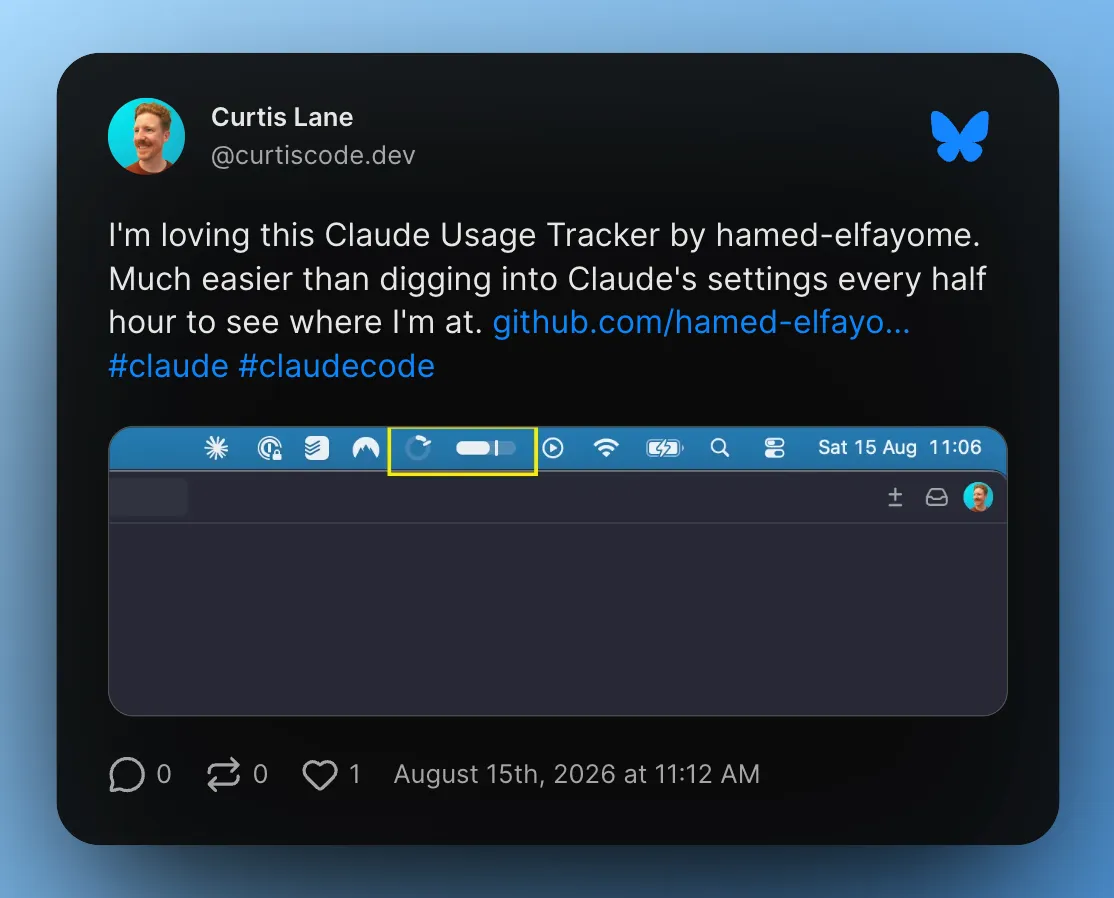
I'm on the Claude Pro plan, which gives me a rolling five-hour usage window. I find the Claude Usage Tracker by hamed-elfayome a really useful way of keeping tabs on my current usage windows at all times, without having to switch over to Claude settings (I posted about it on Bluesky).
Review
Once the build is complete, I'll start a review of these code changes. To try and get the least biased view possible, I will start a new session, and ask for a code review from there, based on the contents of the PR description and the code changes.
Ideally, I would also ask a totally different agent provider than Claude, Codex for example, to get the best possible adversarial review. Different models have different blind spots, so a second model is far more likely to catch what the first one missed. Addy Osmani tested this on 146 real pull requests with four different AI reviewers, and 93% of the issues flagged were caught by only one of them.
Based on the agent's feedback, I will then request these changes are made by the original agent, and then repeat the process again, until the reviewing agent is satisfied.
I'll use Addy's /code-review-and-quality skill to kick-start this phase.
Once the agent is happy, I'll then provide a manual review myself (this is where /vscode-worktree comes in handy). On solo projects, this is where the review phase will end. Otherwise, if this is a team project, I'll ask another collaborator to also code review the pull request.
Test
The test phase will be handled by a number of different CI actions that I have running:
- Netlify Builds - A preview environment will be built and deployed so I can validate that it all builds fine, and also be able to do some manual testing if I so wish
- Codecov - Unit test code coverage will be assessed for the overall coverage, plus whether the new code has a positive or negative effect on the overall coverage
- Playwright Tests - Playwright will run the application and run some tests to ensure all is asserting as expected
- Linting - Linting and type checking run as part of the CI build step, to ensure basic code quality
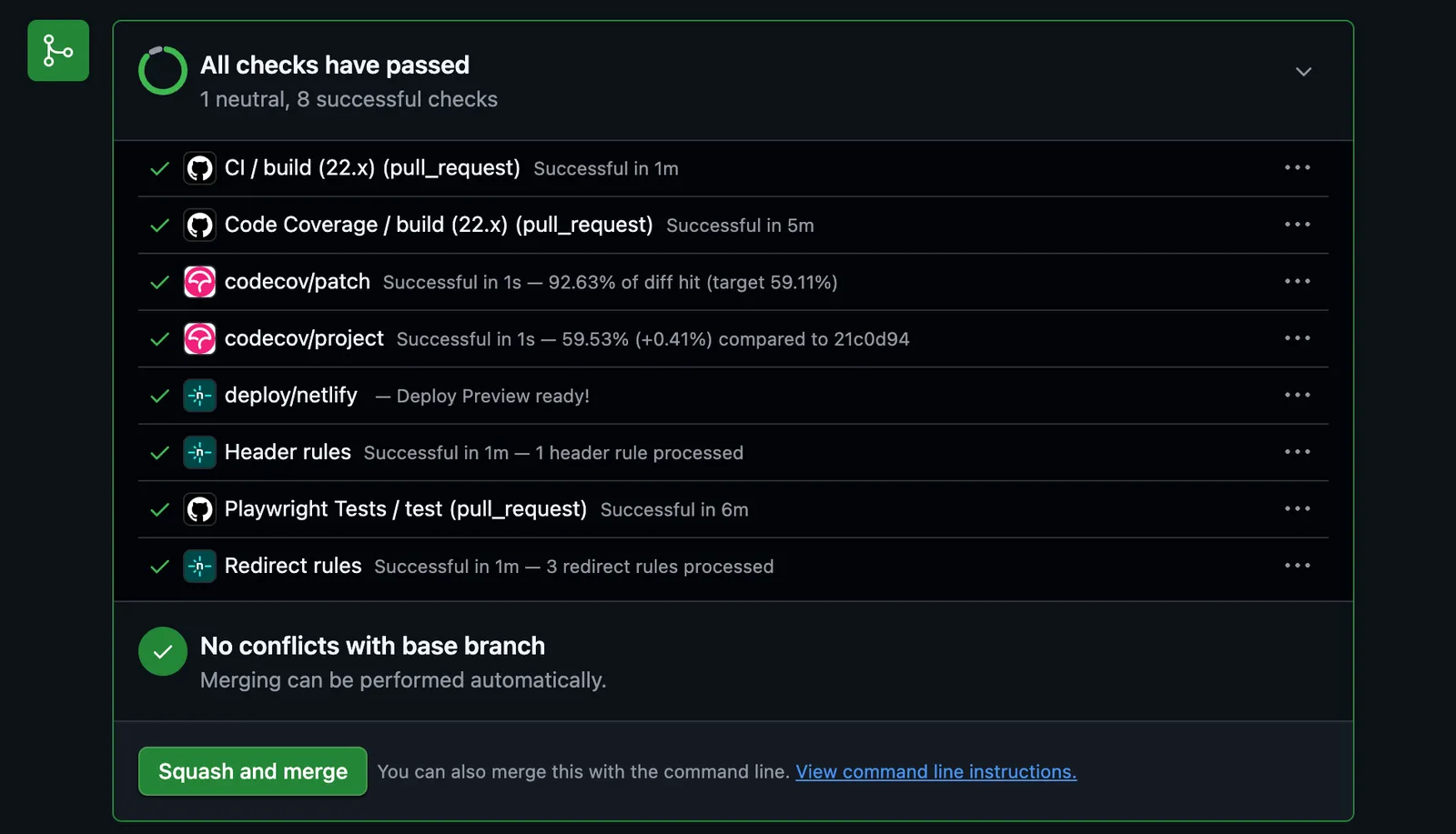
If all of these pass, then the test phase will be considered a success. If any don't, then we go back to the agent, providing as much context as possible (logs, trace data).
If this involves code changes, another round of Review will also be required.
Merge
At this stage, I have high enough confidence in the changes to be able to merge these into the main branch, which will automatically kick off the production deployment process.
Production smoke tests will then run, and we begin the observability phase of the SDLC.
If it doesn't go to plan
If there are any issues in production, the next steps are to roll back asap, and start analysing what went wrong. As with the bug fix debugging and the test failure reviews, we should then provide as much context as possible to the agent so that it's able to assist with a fix for the next production deployment.
If all goes to plan
If the production deployment is successful (and in the majority of cases it should be!), I'll exit the Claude Code session. Claude asks whether I want to keep or remove the worktree, and I choose to remove it. Then I close down the Warp terminal tab.
What I'm trying next
I opened by saying this will change, and it already is. Over the past few weeks, I've started using Matt Pocock's skills instead of Addy's. /grill-me interviews me until every question is resolved, and for UI work, /prototype gives me a fast feedback loop before anything is built. The build step has become simpler too: once the grilling is done, I ask the agent to proceed to implementation. It's still early days, so we'll see whether it sticks.
Whichever skills I end up using, I expect the fundamentals to stay the same. I put the most effort into planning, keep each change small enough to review, and get a fresh pair of eyes on the code before it's merged. The tools will keep changing, probably faster than this article can keep up with, but those habits have served me well so far.


